

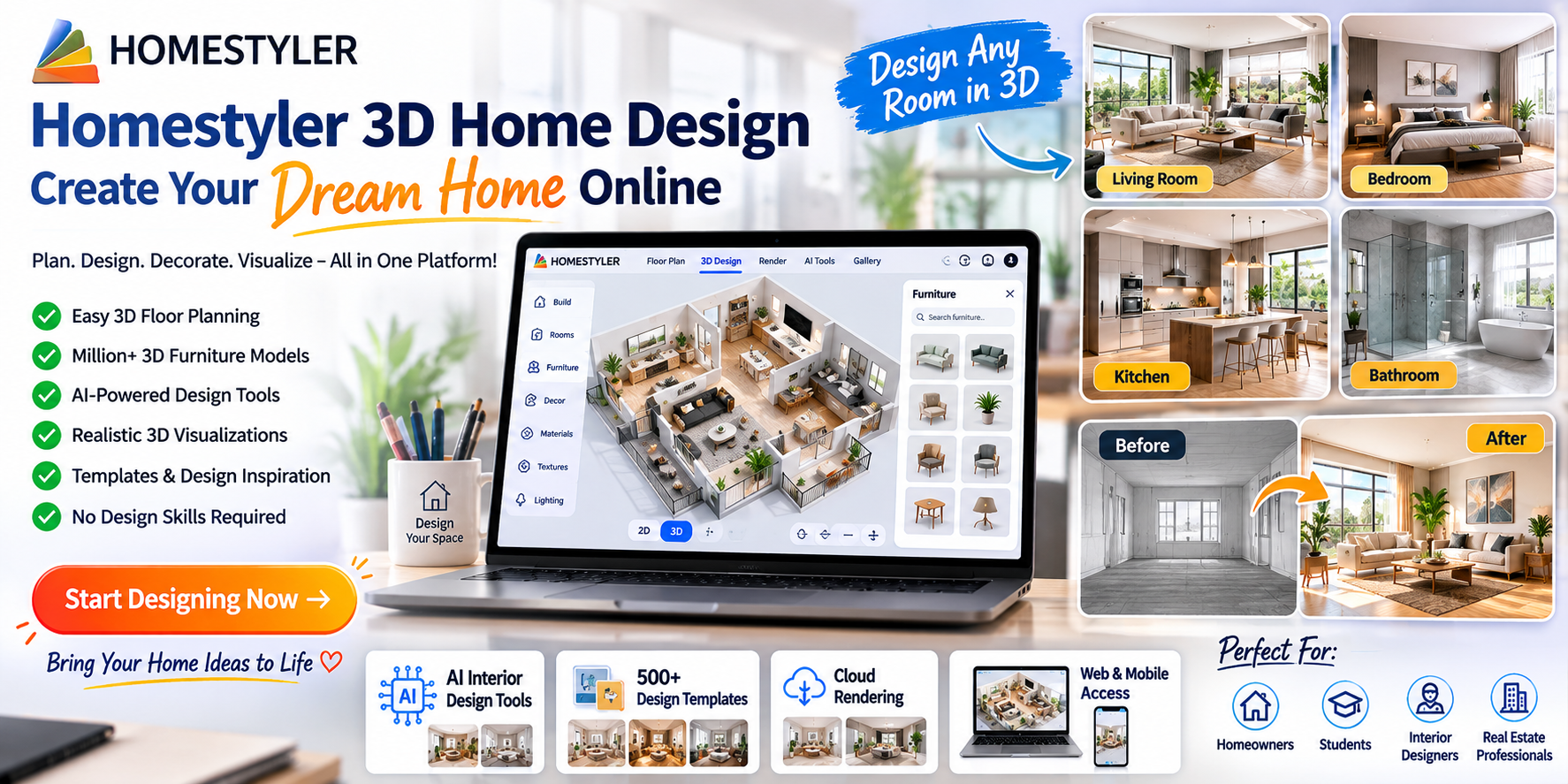
Homestyler 3D Home Design – Create Your Dream Home Online
Planning a new home, redesigning a room, or simply wondering how your furniture will look in a different layout? Homestyler 3D Home Design makes it possible to create, decorate, and visualize spaces online without needing advanced 3D-design skills.
Whether you’re a homeowner, interior-design enthusiast, student, or professional designer, Homestyler provides tools for creating floor plans, adding furniture and materials, experimenting with styles, and producing realistic visualizations. (Homestyler)
What Is Homestyler?
Homestyler is an online 3D home and interior-design platform that lets users plan and visualize spaces through a browser and mobile app.
You can start with a floor plan or sketch, create an editable 3D model, decorate the space, and then visualize the finished design using cloud rendering. (Homestyler)
The platform is designed to be accessible to beginners while also offering more advanced tools for professional design workflows.
Design Your Home in 3 Simple Steps
One of the easiest ways to get started with Homestyler is to follow its basic three-step workflow.
Step 1: Create Your Floor Plan
Start by creating a floor plan or uploading a 2D floor plan or sketch.
Homestyler says its AI can convert an uploaded floor plan or sketch into an editable 3D house model, helping you move from a basic layout to a visual design more quickly. (Homestyler)
You can then work with rooms, walls, doors, windows, and other elements to build your space.
Step 2: Decorate Your Space
Once your layout is ready, you can start decorating.
Homestyler provides a large library of 3D furniture and other design assets that can be added using a drag-and-drop workflow. Its current website advertises more than 10 million branded 3D furniture models. (Homestyler)
You can experiment with:
- Sofas
- Beds
- Tables
- Chairs
- Cabinets
- Lighting
- Decorations
- Flooring
- Wall finishes
- Other home accessories
This makes it easier to see how different pieces could work together before making real-world purchases or changes.
Step 3: Visualize Your Design
After creating and decorating your space, you can generate visualizations using Homestyler’s cloud-rendering technology. (Homestyler)
Seeing a room in 3D can make it easier to understand proportions, furniture placement, colors, materials, and the overall look of your design.
Try Different Interior Design Styles
Choosing an interior style can be difficult when you’re looking at individual furniture pieces or paint colors.
Homestyler provides templates and design inspiration covering styles such as:
- Modern
- Minimalist
- Japandi
- Mid-century
- Warm and neutral designs
- Contemporary interiors
Its current website highlights more than 500 templates, giving users a starting point for different types of spaces. (Homestyler)
You can use a template for inspiration and then customize the design according to your own preferences.
Design a Living Room
The living room is often one of the first spaces people want to visualize.
With Homestyler, you can experiment with different sofa arrangements, coffee tables, rugs, lighting, wall colors, storage furniture, and decorative items.
Instead of moving heavy furniture around repeatedly, you can first test different arrangements digitally.
Plan Your Bedroom
A bedroom layout needs to balance comfort, storage, and available space.
You can use a 3D design tool to experiment with:
- Bed placement
- Wardrobes
- Bedside tables
- Lighting
- Rugs
- Wall colors
- Decorative accessories
Trying several layouts can help you decide which arrangement works best for your available space.
Design Your Kitchen
Kitchen planning can be especially useful in 3D because cabinets, appliances, work areas, and storage all need to work together.
Homestyler’s design environment allows users to customize spaces and explore different furniture and materials as part of their overall design. (Homestyler)
You can experiment with different layouts before discussing your preferred design with a contractor or kitchen professional.
Explore AI-Powered Design Tools
Homestyler has expanded beyond traditional floor planning with a range of AI-powered tools.
Its AI Studio currently includes tools such as:
- AI Planner
- AI Stager
- AI Moodboard
- AI Render
- AI Animator
- AI Painter
- AI Modeler
- AI Decor
- AI Texturer (Homestyler)
These tools can help users explore ideas, create visual concepts, generate renderings, and experiment with different design possibilities.
AI Can Help You Get Started
If you’re not sure what style to choose, AI-based tools can help turn an idea or reference image into a starting point.
Homestyler’s newer Spark AI Interior Design Agent is designed to combine conversational AI with editable 3D design, allowing users to generate and refine floor plans and explore design ideas through conversation. (Homestyler)
A Large 3D Model Library
One of the biggest benefits of a digital home-design platform is being able to experiment with furniture before buying it.
Homestyler’s official site currently advertises millions of 3D furniture models and branded assets. (Homestyler)
You can try different products and arrangements to see what works visually with your room.
This can be especially useful when you’re comparing:
- Sofa sizes
- Dining tables
- Bedroom furniture
- Storage units
- Lighting
- Decorative accessories
Create Designs Without Installing Complicated Software
Homestyler provides browser-based design tools, allowing users to create floor plans, design 3D spaces, and render projects in the cloud. It also has a mobile app for design exploration and visualization. (Homestyler)
This makes the platform convenient for people who want to work on home-design ideas without setting up traditional professional 3D-design software.
Useful for Homeowners
You don’t need to be an interior designer to benefit from 3D home planning.
If you’re renovating a room or moving into a new home, Homestyler can help you visualize different possibilities before making changes.
For example, you could create a room layout and test several furniture arrangements before deciding where to place your real furniture.
Useful for Interior Designers
Homestyler also provides professional-oriented features.
Its platform includes tools for 3D modeling, rendering, floor planning, custom furniture, collaboration, virtual presentations, and other design workflows. (Homestyler)
Professional users can therefore use the platform for more than basic home decoration.
Create Realistic Visualizations
A good 3D visualization can help communicate a design idea more clearly than a simple floor plan.
Homestyler provides cloud rendering and visualization features that can be used to create more realistic presentations of rooms and spaces. (Homestyler)
This can be useful when sharing a concept with:
- Family members
- Clients
- Contractors
- Interior designers
- Furniture businesses
Learn as You Design
If you’re new to 3D home design, you don’t have to learn everything at once.
Homestyler provides tutorials and learning resources covering areas such as floor planning, furniture placement, materials, lighting, rendering, custom furniture, and other features. (Homestyler)
You can start with a simple room and gradually learn more advanced tools.
How to Get Started With Homestyler
Getting started can be simple:
1. Choose a Room
Start with one room rather than trying to design your entire house immediately.
2. Create or Upload a Floor Plan
Use your measurements or an existing floor plan to create the basic layout.
3. Add Doors and Windows
Make the digital room match the real space as closely as possible.
4. Add Furniture
Experiment with sofas, beds, tables, cabinets, lighting, and other items.
5. Try Different Colors and Materials
Change walls, floors, furniture, and decorative elements to explore different styles.
6. View the Space in 3D
Move around your design and look at it from different angles.
7. Create a Render
Use the available rendering tools to produce a more realistic visualization.
Why Use 3D Design Before Renovating?
Renovating a home can be expensive, and changing your mind after purchasing furniture or materials can add unnecessary costs.
A 3D design can help you think through your ideas before making physical changes.
You can experiment with:
Furniture placement → Colors → Materials → Lighting → Room layouts → Decorative styles
This doesn’t replace professional architectural or construction advice, but it can be a useful planning and visualization tool.
Is Homestyler Free?
Homestyler offers a free starting option, while additional capabilities and membership plans are available for users who need more features. Its official site currently promotes free 3D home design as well as additional tools and services. (Homestyler)
Because plans, credits, features, and pricing can change, check the official Homestyler website for the latest information before purchasing a subscription.
Who Can Use Homestyler?
Homestyler can be useful for many different users, including:
- Homeowners
- Renters
- DIY decorators
- Interior-design students
- Interior designers
- Architects
- Furniture retailers
- Real-estate professionals
- Creative enthusiasts
Its combination of 2D floor planning, 3D design, furniture libraries, rendering, and AI tools makes it flexible for different types of projects. (Homestyler)
Start Creating Your Dream Home Online
If you have an idea for a new room, renovation, apartment, or complete home, you can start turning that idea into a 3D design with Homestyler.
Explore Homestyler 3D Home Design
Start with a simple room, experiment with different furniture and styles, and gradually build your dream space.
Final Thoughts
Designing a home can be exciting, but imagining how everything will look together isn’t always easy.
Homestyler 3D Home Design gives you a visual way to plan your space, experiment with furniture and materials, explore interior styles, and create realistic 3D visualizations. Its AI-powered tools add another layer of flexibility for generating and refining design ideas. (Homestyler)
Whether you’re planning a small room makeover or exploring ideas for an entire house, creating the design digitally first can help you make more informed decisions.
Create, decorate, visualize, and bring your dream home to life with Homestyler.
Affiliate Disclosure
This article may contain an affiliate link. If you purchase a product or subscription through our link, we may earn a commission at no additional cost to you. Features, pricing, plans, and availability may change, so please check Homestyler’s official website before purchasing.
SEO Tags
Tags:
Homestyler, Homestyler 3D, Homestyler 3D Home Design, Homestyler Interior Design, Homestyler Floor Planner, 3D Home Design, 3D Interior Design, Home Design Software, Interior Design Software, Online Home Design, 3D Floor Planner, AI Home Design, AI Interior Design, AI Floor Planner, Home Renovation Ideas, Interior Design Ideas, Room Design, Living Room Design, Bedroom Design, Kitchen Design, Home Decorating, Home Planning, Virtual Home Design, 3D Room Planner, Home Design Online, Interior Design Tools, Dream Home Design, Home Design App, 3D Furniture, Home Visualization, Interior Design Inspiration, AI Home Planner, Home Renovation Planner
